How to do things
AI Noob vs. Pro

List biggest files
List newest files
Show subdir sizes
Search in files
Replace word in files
List dir differences
Send files in LAN

Free Open Source:

Swiss File Knife

a command line
multi function tool.

remove tabs
list dir sizes
find text
filter lines
find in path
collect text
instant ftp or
http server
file transfer
send text
patch text
patch binary
run own cmd
convert crlf
dup file find
md5 lists
fromto clip
hexdump
split files
list latest
compare dirs
save typing
trace http
echo colors
head & tail
dep. listing
find classes
speed shell
zip search
zip dir list

Depeche View
Source Research
First Steps

windows GUI
automation

command line
file encryption

free external tools,
zero install effort,
usb stick compliant:

zip and unzip
diff and merge
reformat xml
reformat source

cpp sources

log tracing
mem tracing
hexdump
using printf

articles

embedded
stat. c array
stat. java array
var. c array
var. java array
view all text
as you type
surf over text
find by click
quick copy
multi view
find nearby
fullscreen
bookmarks
find by path
expressions
location jump
skip accents
clip match
filter lines
edit text
highlight
load filter
hotkey list
receive text
send in C++
send in Java
smooth scroll
touch scroll
fly wxWidgets
fly over Qt
search Java

Supersonic Text File Search - Free Download

This is the Depeche View online manual, explaining keys and configurations. If you don't know this tool yet, you may want to read the introduction first.

This page contains a compact version of the Depeche View help text, available anytime

within the tool itself. More detailed, tutorial-like help chapters are available here.

Contents

Instant searching and window handling:

Select-And-Search: SHIFT+LeftClick ON A WORD.     
S-A-S in new view: RightMouseClick ON A WORD.     
Activate window  : LeftMouseClick  ON EMPTY SPACE.
Create new view  : RightMouseclick ON EMPTY SPACE.
To jump through the search results, press SHIFT+CRSR_DOWN, or SHIFT+MOUSEWHEEL.

To search any word, JUST TYPE IT. Whatever you type goes into the "find mask", and when you stop typing, it is searched for instantly. Press Left/Right/Home/End to move the cursor within the mask, and INSERT to clear it. The * wildcard and operators AND OR NOT are supported. For example,

   class *bar* obj OR warn NOT goo
finds lines containing "class FooBar: public Obj" or "warning" but not "CGooBar". operators must be typed in CAPITAL letters, and can be deactivated with CTRL+X.

To search the * character itself, type **, e.g. "/** foo" actually finds "/* foo".

F1: FULLSCREEN MODE ON/OFF   F5: reload changed files                          
F2: horizontal tiling on/off F6: hide all windows                              
F3: swap with previous view  F8: show help
F4: case-sensitive search    F12: open document                                
F3+SHIFT: swap with next     F3+CTRL: copy view to left

Fullscreen versus multi column mode:

To repeat, dview is optimized for searching, and not for endless fondling-around with window borders. Therefore the dview surface has a fixed-window layout:

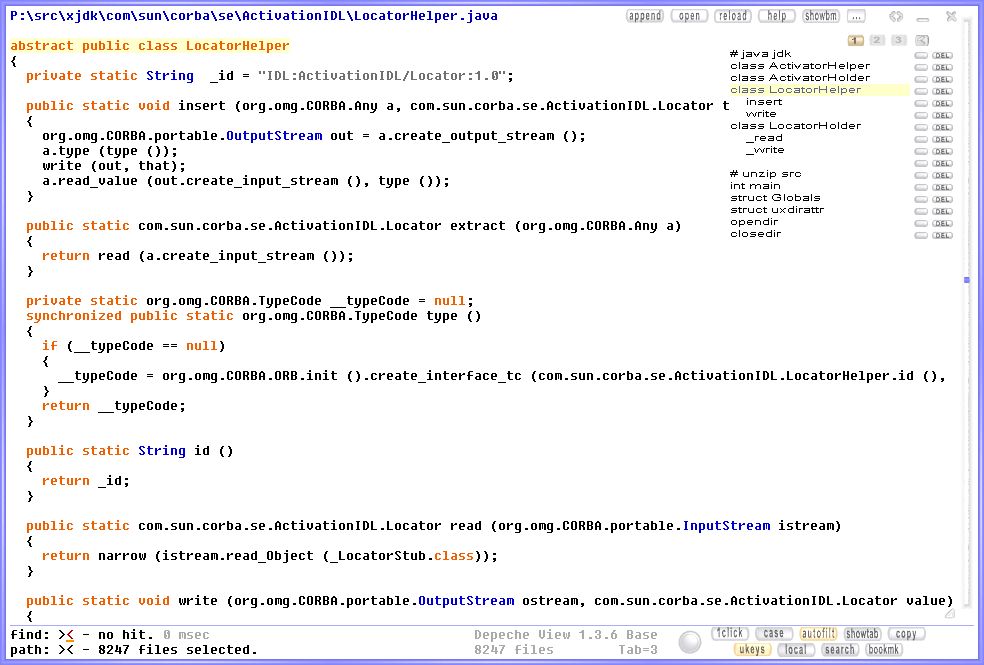
  • Depeche View starts in Full Screen Mode, displaying a large, single window, covering nearly the whole screen. In this mode, you have maximum overview of a single text spot.
     
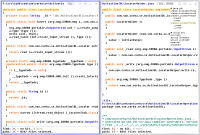
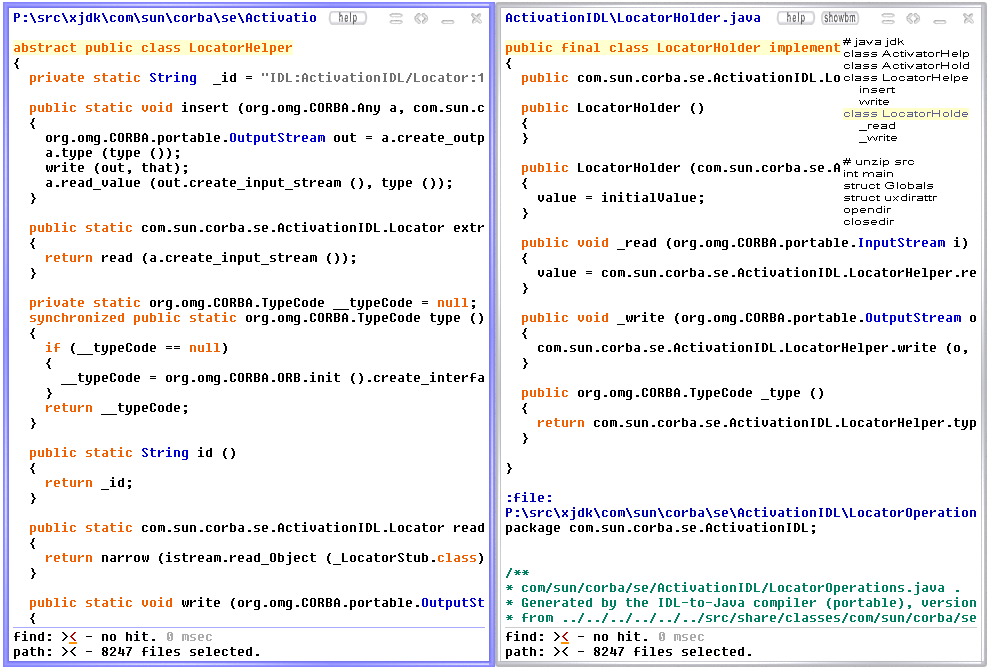
  • as soon as you press the right mouse button on blank space, dview enters the multi column mode, displaying two or three columns side by side. In this mode, you have a comparison overview of up to three spots of text.
     
  • switch anytime between these two modes by pressing F1.
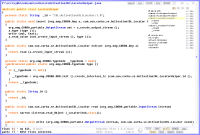
     
    full screen mode <- F1 -> triple column mode

     
  • whenever you press the right mouse button, an event is sent to a nearby view (window), e.g. to activate the view, or to search something. if no nearby view exists yet, one is created.

CTRL+(SHIFT+)Home: jump to previous file (or top of all)
CTRL+(SHIFT+)End : jump to next file  (or bottom of all)
SHIFT+LEFT/RIGHT : horizontal motion  (ENTER to reset  )
CTRL+TAB to change tab size (set DVIEW_CONFIG=tabsize:n)
ESCAPE to close latest view, or all, if in first view.  
SHIFT+ESCAPE always closes all views, then exits.       
To SEARCH a multi-word phrase, keep SHIFT pressed, then left-click into the first and last word or character. When done, release SHIFT to start. To COPY multiple words or lines, do the same with CTRL instead of SHIFT.

All ways of searching summarized:

  • search a single word shown in the text:
    shift+click on it. it will be searched for immediately.
     
  • searching a phrase shown in the text:
    • press SHIFT and keep it pressed.
    • click on the first character or word of interest.
    • click on the last character or word of interest,
      which must be in the same line as the first one.
    • release the SHIFT key.
    • dview will instantly search the whole phrase.

  • typing word(s): simply start typing characters - they go into the find mask. when finished, just stop typing. your word or phrase will be searched for immediately.
     
  • using a phrase from the clipboard: if you have a phrase in the clipboard, press SHIFT+INSERT to have it pasted into the find mask. it will be searched for immediately.

Filtered views:

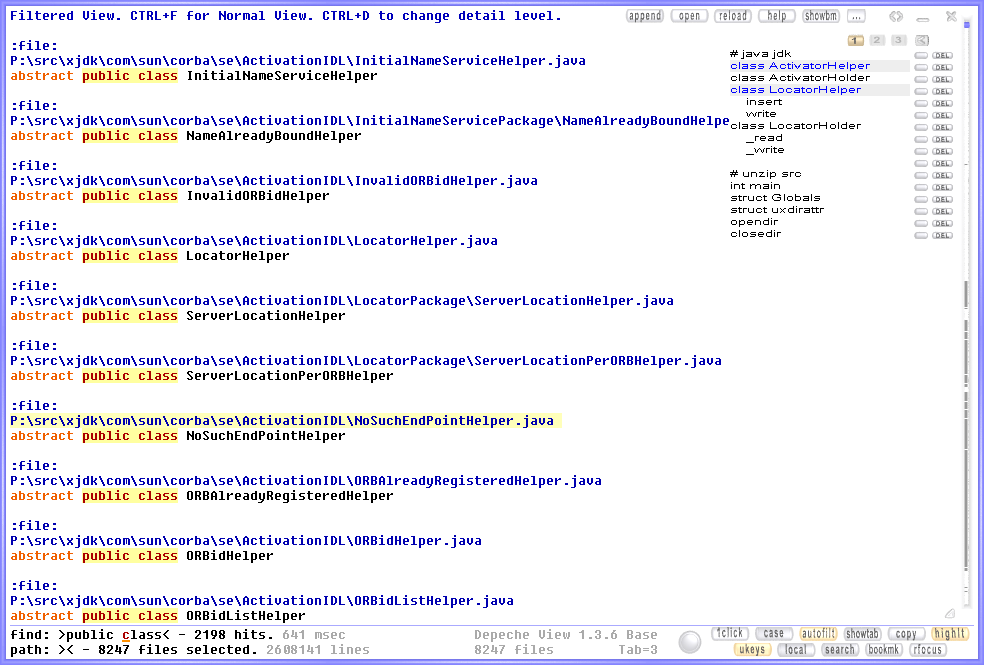
Press CTRL+A to create a filtered view from the current search mask:

Depeche View filtered view

In this mode, only lines containing hits are listed, as well as their filenames, providing you the fastest possible overview over search results. If the "find" field is empty, all loaded filenames are listed. Within this view, press CTRL+D to toggle the detail level, to switch filenames on or off. Left click into a result line to jump to that line within normal view. Right click does the same but opens the normal view in another window. Press CTRL+INSERT to copy the whole contents of a filtered view into clipboard.

Limiting search to paths or filenames:

By default, you have a GLOBAL view across ALL loaded files. If you type a search term, it is searched everywhere. But sometimes you want to limit the search to a specific path, or file extensions. This can be done by the "path:" scope selector (which can be switched off or on by pressing F4.)

With local scope active, press TAB to switch between editing of the "find" and the "path" mask. The path mask selects the filenames to include/exclude. E.g. "bardriver NOT .bak" selects all files in "testfiles\FooBank\BarDriver", but also files in "testfiles\ChokobarDriversystem", excluding all .BAK files. The path mask is always case-insensitive, AND and OR are treated as the same.

Clipboard interaction:

 copy word or phrase -> clipboard : CTRL+LMOUSE (keep Control pressed)
 copy search mask    -> clipboard : CTRL+LMOUSE (within bottom line)
 copy selected line  -> clipboard : CTRL+SHIFT+LMOUSE
 copy screen text    -> clipboard : CTRL+INSERT
 copy clipboard text -> find mask : SHIFT+INSERT

Bookmark creation, deletion, and copying to clipboard:

If you found important places within text files, it makes sense to remember them. but you don't have to do this - let the tool remember them for you, through bookmarks.

(de)activate bookmark sets 1 to 9 by pressing CTRL+1 to CTRL+9. By default, set number one is open on startup. whenever you select a text phrase using ALT+LMOUSE (or CTRL+RMOUSE under Linux) within the same line, a bookmark is created.

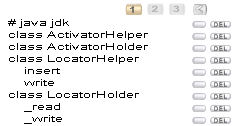
the bookmark list is shown at the right top:

Depeche View bookmarks

click on a bookmark anytime to jump back to it's position. click DEL to remove it, or on "..." and then "copybm" to copy the list to clipboard.

if you search something, then create a bookmark, this bookmark also copies a search context. click the little box left to DEL to activate. now, if you click on the bookmark, the find and path fields are restored to their content at the time of bookmarking.

bookmarks are saved:

  • in a file with the taget directory name plus "zz-" prefix
  • OR: if an sfk snapfile was loaded, with the snapfile's name plus .n.dvbm.
  • you may reorder your bookmark slots (ctr+1 to ctr+9) by simply renaming the files, e.g.
    ren zz-src1-bookmarks.1.dvbm zz-src1-bookmarks.5.dvbm.

Exporting and editing bookmark sets:

  • export a bookmark set to clipboard by clicking on the long "copy bookmarks to clipboard" button.
     
  • enter an editor, open a new, empty file, press SHIFT+INSERT. now you have the bookmarks in your editor:

    :depeche-view-bookmarks,1.0
    DBController::DBController [ line 9 in FooBank\DB\source\DBController.cpp ]
    class BarMug [ line 6 in FooBank\BarDriver\include\BarMug.hpp ]
    class BarDriver [ line 6 in FooBank\BarDriver\include\BarDriver.hpp ]
    ...

    in a format which is human readable (and also suitable for emailing).

  • be careful when editing: the only thing allowed is to change the sequence of lines, or to delete lines.
     
  • to re-import the list into dview,
    • mark and copy the whole list withing the editor using SHIFT+CURSOR, and finally CTRL+C. now the edited list is within the clipboard.
    • enter dview (activate it's window).
    • press SHIFT+INSERT.
    note that search context information is always lost during export/import, however it's often not needed.

CTRL+Q quick toggles bookmark display off and on, allowing to view the text behind or not. CTRL+S saves bookmark changes without asking back.

Bookmark reordering, indenting, and adding free text remarks:

Clicking on a bookmark selects it. Keeping the button pressed allows to move the bookmark up and down, or to change intendation. CTRL+R adds the current search text as a remark. Doubleclick onto remark for edit, then CTRL+SHIFT+R to update it's text.

Further key combinations:

Config file:

You may change many settings by creating a config file. To create such a file, click on the "..." button, and then on "config". After creation, the file should be opened within a notepad window automatically, but you can load it also with any other text editor. Then keep on reading through the many remark lines (starting with "//") that explain all possible settings.

The config file (dview-config.txt) should be stored in the same directory where dview.exe is located. This way you can, for example, copy both dview.exe and the config onto USB stick, then run dview from that stick, having your personal configuration used instantly.

Under Linux, make sure that dview.exe is located in a directory listed in the WINE PATH. To edit this path, type "wine regedit" then search for PATH (somewhere under System ... Environment).

Environment variables:

You may also change some defaults by setting a config environment variable:

 set DVIEW_CONFIG=tabsize:3,case:1,startbmset:5,maxload:900mb    

Running external commands on subfiles:

Under Windows, you can easily run self-defined commmands on the currently selected file by defining small scripts in the config file.

Under Linux, it's basically the same, but you cannot run native Linux commands - only other Windows applications running under WINE, and they must be available in the WINE PATH. To check or edit this path, type "wine regedit" then search for PATH (somewhere under System ... Environment).

Old way of running commands: you may also define commands via environment variables. This is deprecated, but still supported.

 SET DVIEW_CMD_1="notepad $file"
in the shell, run dview, and when the top line shows a blue filename (of a subfile), press F9. In the above example, an editor (notepad) is launched to open the subfile for editing. Simply replace "notepad" by the executable name of your favourite text editor, which must of course be available via the command line PATH. Further commands can be specified for F10, F11, F12 (CMD_2, CMD_3, CMD_4). multiline commands are split by the word <newline>, and $path gives the subfile path:
 SET DVIEW_CMD_4="attrib -R $path\*.cpp<newline>notepad.exe $file".
in this case, dview waits until all commands, except the last one, have completed execution. F12 default is to open documents like this:
 SET DVIEW_CMD_4="cmd /C "$file""

Fine tuning the Depeche View icon:

if you look at the properties of the icon, you'll find parameters like

    -cfg1 -wrapbin=80 -file -all .doc .xls .ppt .pdf -any                 
this tells dview not only to load pure ASCII text files, but also binary office files like .doc, .xls etc., extract strings from them, and display these as well. now, if you want further files to be included, e.g. .dll or further office formats, you may add their extensions to the list, e.g.
    -cfg1 -wrapbin=80 -file -all .doc .xls .ppt .pdf .dll .exe -any
Customized power icons:

you may also create several icons manually, with different parameters. for example, one icon may contain

    -cfg1 -wrap=80 -file .cpp .hpp -any
which will load ONLY files of type .cpp .hpp (no "-all" specified). option -wrap=80 says that lines from text files (the .cpp and .hpp) should be wrapped at column 80.

Drag and drop without icon:

it's also possible to drag+drop folders and files directly onto dview.exe without creating an icon first - ideal for use of dview.exe straight from an usb stick, without leaving any traces on a pc. but in this case you cannot specify any of the above options; so it may make more sense to run Depeche View from the command line instead.

Using dview from the Windows Command Prompt:

you may use the same parameters as with the sfk snapto command, e.g.

   dview src1 .cpp .hpp                                                   
loads and displays all .cpp and .hpp files from the directory src1. or say
   dview .                                                                
which loads all text files from the current directory, and all subdirs. to include ALL binary files as well, say -allbin. to include SOME binary files, use this combination:
   dview . -all .doc .xls .ppt                                            
the "-all" just means "load all TEXT files"; but whenever you name further file extensions explicitely, you tell dview to load them, even if binary. Option -wrap=80 tells dview to wrap long text lines at column 80. For text extracted from binary files, a separate option -wrapbin=n may be used.

To speedup loading of LARGE directory trees, it is highly recommended to create a "snapfile" first, with the swiss file knife:

   sfk snapto=all.txt thedir .cpp .hpp .xml                               
This command collects all .cpp .hpp and .xml files from "thedir" into one large superfile, "all.txt". Now say
   dview all.txt                                                          
and you will notice that loading ONE large file is at least 10 times faster than loading a whole directory tree, file by file.

Configuring a background image:

  • Click on the "..." button at the top right.
  • Click on the "config" button that appears.
  • Click Yes to create a config file.
  • A notepad window should appear, allowing instant editing of the config file.
    If not, open the file with any other text editor.
  • Search for a line containing "background" and "back.jpg".
  • Remove the "//" remark characters at the beginning of that line.
  • Replace back.jpg by the name of the .jpg image file you want to display.
    This file must be located in the same directory as dview.exe,
    or in any directory listed in the System PATH variable.
  • Save the changed config file (CTRL+S). Re-enter dview.
  • Click on the config button again, to have the config reloaded.
  • Keep ALT pressed and move your mouse up and down to adjust
    the visibility of the background. Under Linux, you may have to
    reconfigure your window manager to allow the ALT key first.

Further reading: the detailed help chapters.